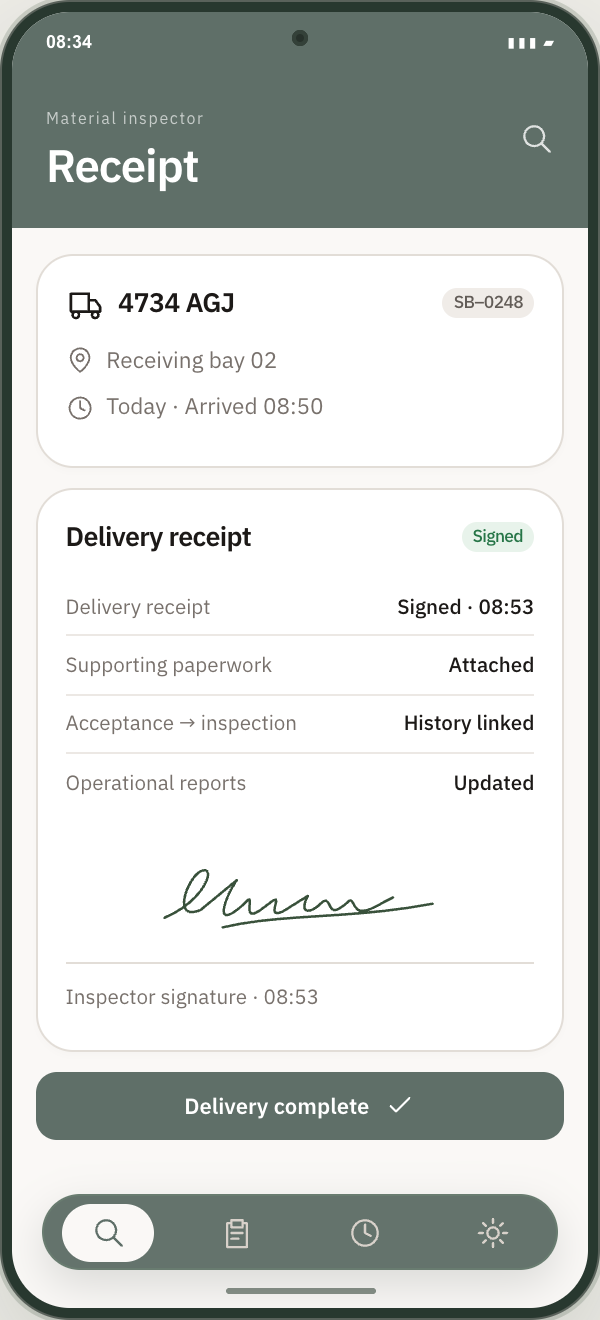
Connect the physical handover to the delivery record. The receiving inspector app brings material checks, quantities, evidence and a signed receipt together at the drop-off location.
The receiving inspector app with a completed delivery receipt and signature. Example delivery data.APP PREVIEW · EXAMPLE DATA
01
Inspect the materials at the receiving location
Check the delivered materials against the booking and record the quantity received. Mark issues where the delivery differs from what was expected, giving the team a record of the handover at the exact destination.
02
Capture the details while they are in front of you
Add photographs, notes and supporting documents from the inspector app. Link evidence to the material check so a damaged item, quantity discrepancy or other issue can be reviewed with the delivery details and the inspector’s observations.
03
Sign off without losing the history
Complete the delivery receipt with a signature and keep it alongside the supporting paperwork. Driver acceptance, journey events, gate checks, incidents and material receipts remain linked to the original booking, ready for operational reporting and later delivery reviews.
IN PRACTICE · AN EXAMPLE WORKFLOW
A material issue with a clear record.
A receiving inspector finds damage during unloading. They mark the issue, record the quantity received and capture a photo and note at the bay. The signed receipt and supporting evidence stay with the booking, so the office can review the handover without asking the site team to reconstruct it later.
A little more detail.
Can inspectors record both quantities and issues?
Yes. The receiving workflow supports material quantities and issues, with evidence and notes linked to the delivery.
Where is the signed receipt kept?
The receipt stays with the complete delivery record, alongside documents and the time-stamped activity history from booking through to sign-off.